Free & Open Source
S3 PDM Vault
An affordable alternative to SOLIDWORKS PDM for solo users.
Works on Mac and PC.
Version control, file history, and folder management—backed by affordable cloud storage.
No software fees.
An affordable alternative to SOLIDWORKS PDM for solo users.
Works on Mac and PC.
Version control, file history, and folder management—backed by affordable cloud storage.
No software fees.
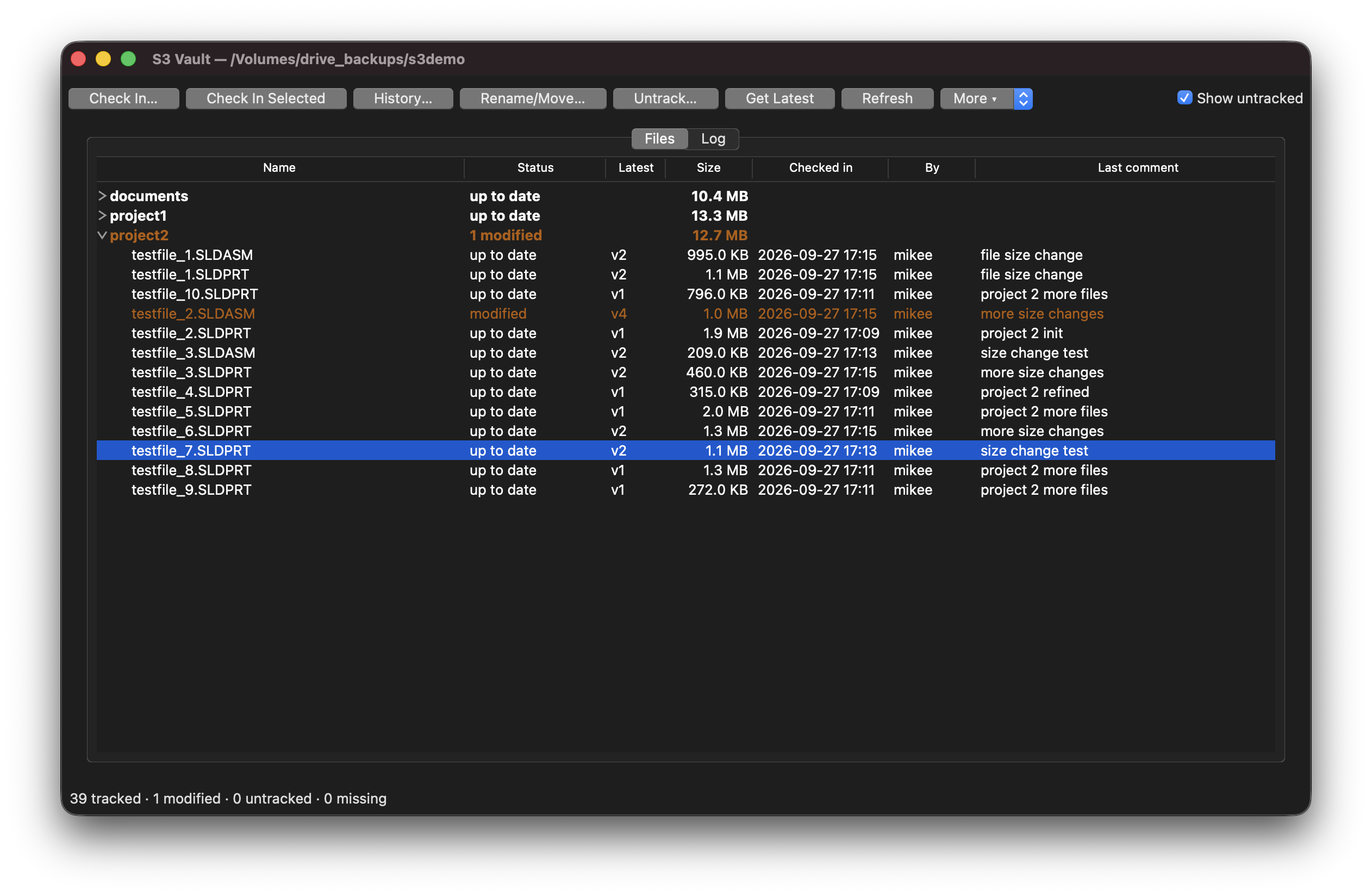
Browse your vault with a collapsible folder tree. See total folder sizes, modification status, and untracked files at a glance.
Select entire folders and check in everything changed inside at once. No more file-by-file management.
Rename and move files or folders while preserving full history. Works seamlessly with SOLIDWORKS renames and Pack & Go.
Full version history for every file. Untrack files safely—history is archived, never truly deleted.
First refresh downloads history once. Subsequent refreshes only fetch changes—fast and efficient.
Works with Backflaze B2, AWS S3, MinIO, DigitalOcean Spaces, or any S3-compatible provider. No vendor lock-in. Free trials and pay-as-you-go pricing with no software licenses.
Latest versions are stored in the S3 provider's current/ folder. Generate shareable links directly from your cloud provider—no re-upload needed. Send secure URLs to clients or colleagues.
Run S3 PDM Vault on Windows or macOS. Same experience across platforms with full feature parity.
Version control for SOLIDWORKS, Office, Blender, Images, and anything else. Not limited to CAD — works for any project that needs revision history.
S3 PDM Vault is a lightweight alternative to SOLIDWORKS PDM that gives you version control and file history using affordable S3 cloud storage instead of expensive server infrastructure. Your designs are stored reliably without paying for PDM licenses or maintaining your own servers.
Right-click context menus, Open in SOLIDWORKS, Show in Folder, and improved large file handling.
Open source. No license fees, no subscriptions. You only pay for actual cloud storage you use.
Use Backblaze, AWS, MinIO, or any S3-compatible provider. Switch anytime, keep all your files.
Backblaze B2 costs $0.006 per GB/month. Store 100 GB for $0.60/month.
⚠️ Disclaimer: S3 PDM Vault is version control software, not a backup system. Maintain independent backups of critical files. See full disclaimer in the usage guide.
Ready to get started?